1. What is Project Ultrapunk
Project Ultrapunk is the spiritual successor to UltraMatt's 2099 and 3077 collections, built with his permission and inspired by the vision behind those projects.
The focus is on visual fidelity, stability, and quality-of-life improvements while preserving Cyberpunk 2077's core gameplay. Unlike 3077, Project Ultrapunk prioritizes presentation and technical improvements and does not incorporate major gameplay changes.
Special thanks to:
- SammiLucia for Ultra Plus for Cyberpunk and for supporting us throughout the development of Project Ultrapunk.
- UltraMatt for his work on 2099 and 3077, and for granting permission to build upon his collections and guide.
2. Requirements and Constraints
- Windows 11 is required. Linux and macOS are not supported by us.
- A GPU with a minimum of 10 GB VRAM. Lower configurations are not supported.
- A clean Cyberpunk installation is required. No Cyberpunk mods or leftover mod files may remain. ReShade and Optiscaler may remain installed.
- After installation, reinstalling/updating via Wabbajack will remove all mods that are either not included in Project Ultrapunk or not tagged with
[NoDelete]in their name. - HDR is not officially supported. No one on the team uses HDR displays, which means we cannot see, reproduce, or diagnose HDR-related issues. If you want to use HDR, follow the HDR guide by CreepySasquatch to the letter - incorrect HDR configuration can severely break the visuals in ways that are impossible for us to troubleshoot. If you encounter visual issues while using HDR, disable it as a first step to determine whether the issue is HDR-related before reaching out for support.
Any issues caused by additional mods are your own responsibility.
3. Preparation
- Ensure you have a fully clean Cyberpunk installation. That means:
- If you have other mod managers, make sure that all mods for Cyberpunk are disabled there.
- Use the Mod Remover Tool to remove leftover files from the Cyberpunk installation directory.
- Verify & repair the Cyberpunk 2077 installation via Steam/GOG/Epic Games.
- Run Cyberpunk once in an unmodded state via Steam/GOG/Epic Games - this is required to initialize the game and to prevent issues.
- Optional components that may remain installed: Optiscaler, ReShade.
You do NOT need to pre-install MO2. Wabbajack will automatically install its own dedicated MO2 version for Project Ultrapunk.
4. Installation
4.1. Collection
- Install Wabbajack.
- Download the latest Project Ultrapunk Wabbajack file. You can get it from the Project Ultrapunk Collection on Nexus Mods, or directly in Wabbajack by clicking "Browse Lists", selecting Cyberpunk 2077 and then "Project Ultrapunk". You can also search for it by name.
- Select an empty installation folder outside protected directories and confirm the download location.
- Start the installation. After completion, create a desktop shortcut or open the install folder.
4.2. Additional setup (optional but recommended)
- If a newer beta version of Ultra Plus is available, you can manually update it to the latest beta version by downloading it from the Cyberpunk channel on the Ultra Plus Discord server. When asked for a name, put
Cyberpunk Ultra Plusand click on replace. - Update the Streamline SDK for Cyberpunk manually with the latest version from the Streamline Repository or via Streamline-Updater. If manually updating, make sure to only update the Streamline files (they all follow the pattern sl.*.dll) that are already present in
Cyberpunk 2077\.bin\ x64 - Update the DLSS version to 310.7.129 or higher (DLSS Ray Reconstruction 4.5) via DLSS Swapper and set the DLSS SR Preset to M, DLSS RR Preset to F, and DLSS FG Preset to B. If you can't select the Preset F, you need to update DLSS Swapper.
- We recommend using ReShade and have prepared an SDR preset that works nicely with the collection - Night City Ultra Clarity.
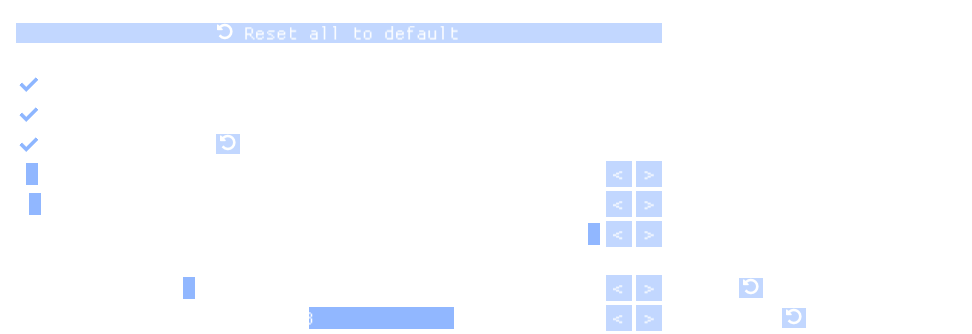
- If you're using a custom ReShade preset (other than Night City Ultra Clarity) and/or notice grid-like artifacts or banding in the sky, move Deband.fx to the top of the ReShade shader stack and apply the settings shown below:
5. First Launch and Setup
- Open MO2 from the installation folder or shortcut.
- Select profile:
- Performance (10 GB VRAM)
- Quality (12 GB+ VRAM)
- Ultra Quality (16 GB+ VRAM)
- Psycho Quality (20 GB+ VRAM)
Always select a profile that matches the VRAM of your GPU. Do not select a higher tier under any circumstance.
The profiles have been verified to work with their respective VRAM target in 3440x1440 with DLSS Balanced - a resolution at or above what ~95% of Steam users run according to the Steam hardware survey. If you run the game in 4K resolution and experience strong fps drops due to maxed out VRAM, you can try mitigating it by either reducing texture quality to medium in the game settings or by reducing the DLSS setting.
- Launch the game using the Run button.
- When prompted to do so, set a hotkey for the CET menu. Remember this hotkey because this is where you also configure mods like Ultra Plus, which you can already do by selecting a lighting mode either in the Simple or Advanced tab. Here are some settings we compiled as rough guidelines: Project Ultrapunk Settings
- Close the game again.
- In the left pane of MO2, right-click below the installed mods and select "Create Empty Mod". Name the new mod
[NoDelete] Config Files, enable it, and make sure it's at the bottom of the list so your config files take priority over the collection's defaults. - Open the Ultrapunk installation folder, navigate to mods, and copy just the folders from
Project Ultrapunk - Additional Filesinto the newly created[NoDelete] Config Filesfolder (make sure not to copy the meta.ini). This preserves your configuration files between collection updates.
6. How to Update
- Open Wabbajack and install Project Ultrapunk again using the same method as during the initial installation (either via Nexus Mods or Wabbajack's Browse Lists).
- Use the same installation folder as your existing install.
When you update the collection via Wabbajack, everything not part of the new version gets deleted except mods with [NoDelete] at the beginning of their name. The [NoDelete] Config Files folder you created during initial setup is protected from this - your configuration files there are safe. We included all relevant config files of the collection in Project Ultrapunk - Additional Files so you can copy them once during setup and never worry about them again.
However, mods you add yourself may generate new config files at runtime that didn't exist before. These end up in the overwrite folder and are not automatically protected. If you want to preserve them, copy them into [NoDelete] Config Files in the Ultrapunk mods folder before updating. Keep the folder structure intact when doing so.
Example:
If you have a config.json in overwrite\ then copy it to mods\.
If you want to add your own mods and keep them across updates, see Things to keep in mind when adding your own mods below.
7. Things to keep in mind when adding your own mods
As mentioned in the Requirements section, additional mods are outside the tested and supported configuration. If an issue occurs, first reproduce it with just the Project Ultrapunk collection enabled. This section points out possible obstacles associated with adding mods.
7.1. Surviving collection updates
- Wabbajack removes all mods that don't have
[NoDelete]at the beginning of their name when you update the collection. Tag any mod you want to keep. - Mods tagged with
[NoDelete]get sorted alphabetically after an update. To preserve your order, add ascending numbers after the tag - for example[NoDelete] [0000],[NoDelete] [0001], and so on. - The "NoDelete Tagger and Indexer" plugin can handle that numbering automatically for you (it works for any game supported by MO2 even though it says it's for Skyrim). The extracted
no_delete_tagger.pyhas to go into the plugins folder in your MO2 installation. Be aware that Wabbajack may remove the plugin itself during updates, so you might need to reinstall it.
7.2. Load order and conflicts
- MO2's left pane determines both the archive load order and loose file conflict resolution. The archive load order (modlist.txt) is regenerated on each launch, so any manual changes made by Archive Conflict Checker or similar tools will be overwritten. This is intentional. It is required to support multiple profiles with different VRAM requirements, since ACC strips disabled mods from modlist.txt.
- Archive load order: mods higher in the list take priority. MO2 cannot look inside archives, so it won't show you archive conflicts - use the Archive Conflict Checker Tool for that (select "Archive Conflict Checker" left of the Run button in MO2 and click Run).
- Loose file conflicts: when two mods provide a file at the same path, the mod lower in the list wins. The lightning bolt icon shows conflict status - green plus means the mod is overwriting, red minus means it's being overwritten, and grey means all of the mod's loose files are being overwritten.
Project Ultrapunk - Additional Fileswill show a grey lightning bolt - this is normal. It means all of its files are being overwritten by your[NoDelete] Config Filesfolder below it, which is exactly how it should work: your personalized configs take priority over the collection's defaults.
7.3. Conflict likelihood by mod type
- Generally low conflict risk: clothing, appearance, vehicle, and similar mods adding additional items on top.
- Unlikely with the base collection, but may conflict with each other: gameplay mods.
- Very likely to conflict: mods touching weather, lighting, or the environment. The collection includes Nova City 2 and other mods that overhaul these areas visually.
8. Get Notified About Collection Updates on Discord
- Head to the Ultra Plus Discord server.
- Click on Channels & Roles.
- Click on
Yes! I wish to be alerted for Ultrapunk updates!and you will get notified.
9. Troubleshooting
9.1. Known Issues
- Preem Mirrors breaks the mirrors in the intro, but other mirrors are fine. If this bothers you, it is safe to disable Preem Mirrors and re-enable it after the bugged prologue sections. The game must be closed to disable/enable the mod in MO2.
9.2. Common Issues
- Incorrect VRAM profile selection
- Leftover files from previous mod setups
- Conflicts caused by additional user-added mods (see Load order and conflicts). Disable all mods added on top of Project Ultrapunk and try to reproduce the issue. If the issue persists, report it to us so that we can try and fix it.
9.3. Rare Issues
In some cases, the Cyberpunk game settings file can be corrupted leading to crashes. You can go to %localappdata%\, rename the UserSettings.json and start the game again in that case.
9.4. Very Rare Issues
In some rare cases leftover files from previous collections / mod setups can remain in the configuration files causing issues with the game. In that case, follow the steps in this article by CD Projekt RED to have an absolutely clean install of the game.
10. Project Ultrapunk Team
For the fastest support, reach out on the Ultra Plus Discord server. We also monitor the collection's comment section on Nexus, but responses there will be slower. Private messages on Nexus will go unanswered.
With all that said, we hope you enjoy our collection designed to give you the best possible visual experience for your system. If you'd like to support us, consider endorsing the Nexus Mod Collection - it helps with visibility.
Last update to the guide: 7 September 2026